

Prioritised Plan
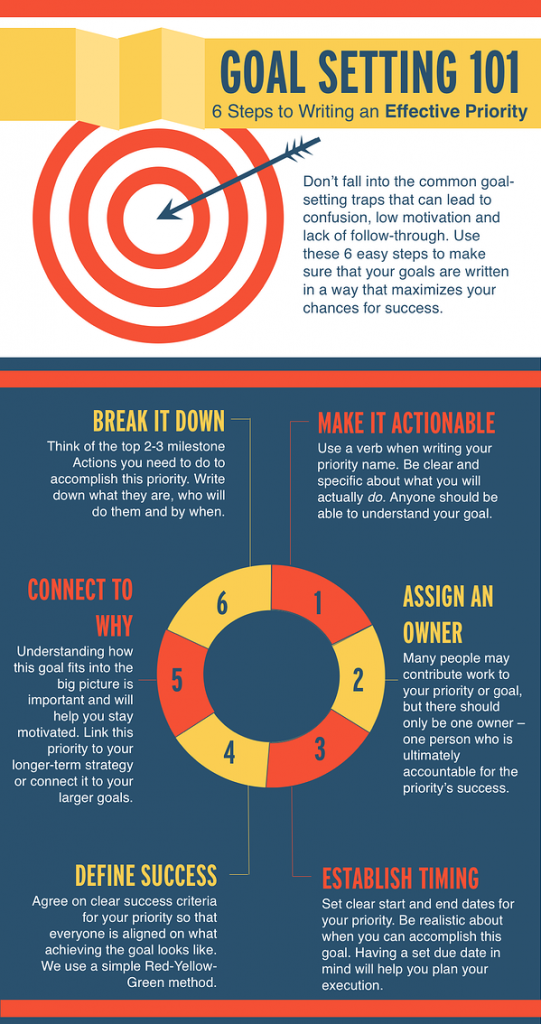
Small businesses still have to do all the same things as large companies but they have fewer people to do them. This usually means that there always seems like there is too much to do. This can be very stressful and make it hard to know where to focus your effort for maximum impact. Don’t scrimp on planning time. If you set aside time each week to think about the week ahead and identify critical tasks and events you will be much clearer about what is important and what is only a nice to have.
Encourage your staff to do the same so that they have clear objectives for each week. Make sure that you all communicate clearly with other team members so everyone knows if someone else is relying on them. This will also create a structured way to discuss any capacity difficulties and make it more likely that staff will raise overscheduling issues before they become a problem.
The Right Software
Don’t waste time doing repetitive tasks manually. Get a good piece of software and automate! The key is choosing a few well-reviewed and time tested pieces of software that can do lots of things for you. That way you only need to learn how to use a couple.
A good piece of invoicing software is essential. Set up a customer once, automate invoice creation and email invoices to customers automatically, receive an automatic email prompting you and your customers of overdue items. The best software will also manage your estimates, time and expense records so you can manage everything from one place. Don’t buy stand-alone software – choose an online provider like Hiveage who stores the data on the cloud and provides Apps for your mobile devices.
Calendar software is essential to good planning. It will help you manage individuals, teams and projects. Google calendar is free and very good. It can automatically add events to your calendar from your email, it allows you to create tasks, calendarise them (linking to an email if you need to), manage multiple invites and repeating events. You can set up multiple calendars and share then so you can manage personal, business and team events with the users you chose.
Get Your Environment Right
It is incredible how much of a difference the working environment makes to productivity. Good lighting, comfortable seating, size and positioning of computer screens, tidiness and pleasant surroundings are very important and should not be ignored.
If your working environment is poor you won’t want to come to work, you will do less when you are there and you are more likely to get injuries such as eye strain, migraines and repetitive strain injuries. Staff will be effected in exactly the same way. Take the opportunity to show your that team you care about them by making sure their workspace is reasonably pleasant. It really isn’t hard to do and you will save many times what you spend through increased productivity.
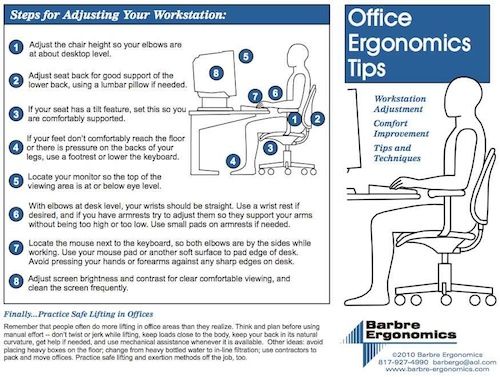
You should also identify any potential health and safety hazards for you and your staff and make sure you mitigate the risks as much as possible. The cost of a few bits of kit or training is much cheaper than funding a member of staff on long term sick. Monitor raisers, footrests, quality lifting and transportation equipment and lifting training are good places to start.
Intelligent Outsourcing
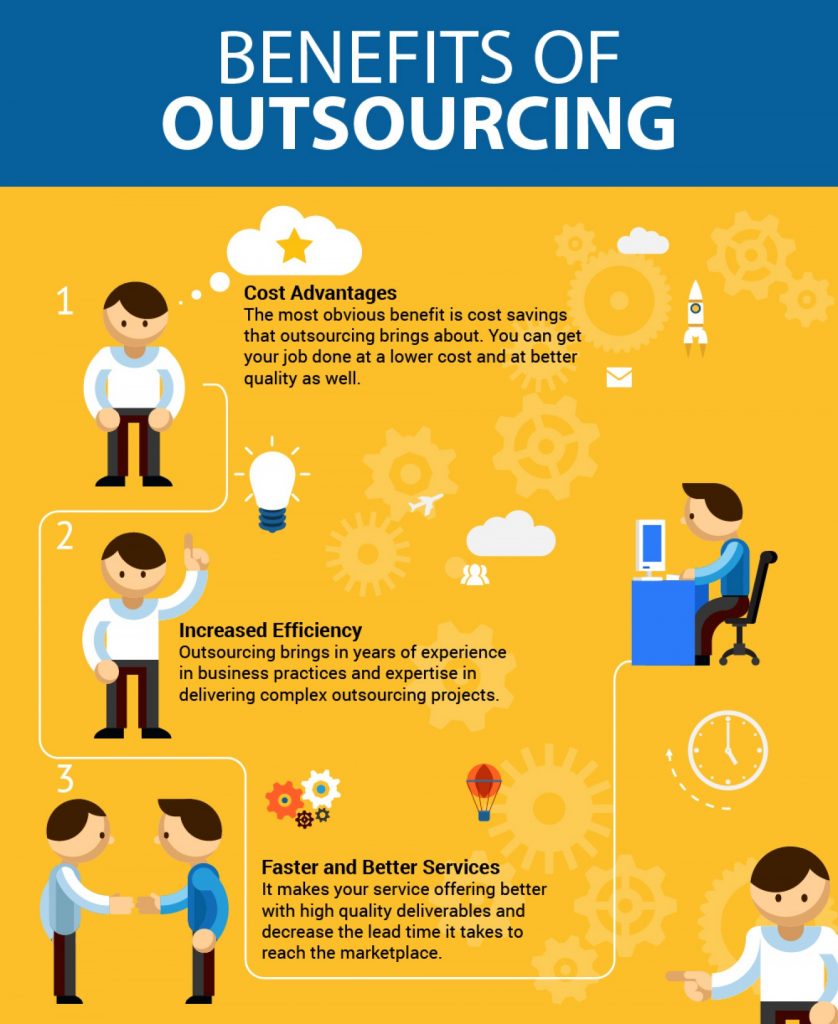
You simply can’t do everything to the required level of expertise so you need to use contractors and outsource certain tasks. Typical jobs to outsource are tax returns, IT support, SEO and payroll management.
Taking IT support as an example. This is a huge ever-changing technical area. Even if you employed a windows and Linux server expert (which would be expensive) are they going to have the expertise for your Mac users, what about security issues and photoshop? How are they going to keep on top of changes to the industry without constant expensive training? They can’t be available 24 hours a day 7 days a week. In this case, it’s much better to use a third party supplier who has a large team of experts in different areas. The cost of their expertise and training is shared with multiple businesses. In addition they can help you make strategic decisions like changing your IT systems, merging systems and converting to storage and software on the cloud.
Make sure you chose a supplier who has been in businesses for several years and can provide plenty of good references and testimonials. Always do some Googling to verify the businesses history and check for negative reviews. Identify the people who will be doing the day to day work for you and ask to meet them or see their CV’s. Do a good review of their website to look for certain things. Using Netstar IT Support as a good example of the type of information and detail to look for;
- Contact information – make sure there is a prominent permanent address that you can visit and call https://www.netstar.co.uk/contact/
- Who are they? – Is there information about the companies senior management team, can you identify who they are and read about their experience? https://www.netstar.co.uk/about-us/meet-our-team/
- Have they got testimonials and case studies from named businesses that verify they do a good job? https://www.netstar.co.uk/case-studies/
- Do they set out their qualifications in a way you can verify? https://www.netstar.co.uk/it-support/certifications/
- Do they show evidence that they monitor their service level and customer satisfaction? https://www.netstar.co.uk/about-us/
- Is their website well written and up to date?
Calendarise Your Day and Week
Weekly / Monthly Planning – Having a defined structure to your working week/month is really helpful. Put in the tasks that you need to do such as staff meetings, accounts, bank account reviews. Then schedule enough time for preparation and actions. This will make it clear to you how much time these tasks actually need and make sure that you prepare properly. Scheduling time to complete actions will make sure that you complete tasks and you will be less likely to have to work late. Review your calendar and see if you can be more efficient by grouping some of these activities and creating some meeting free days in which you can focus on projects or travel. If you can’t complete the actions when you thought – don’t worry – but you should reschedule the time and update your calendar so you retain an accurate oversight of what you need to get done. When your calendar is full it is a prompt that you need to delegate or hire more staff.
Daily Planning – It is a good idea to have some structure to your day. For example, on arrival don’t instantly get lost in your emails because they can sidetrack you. Instead, get the jobs done that you don’t like. This prevents you from putting them off and not doing them at all. Getting them done first thing in the morning will free you up mentally and you will be happier and more productive for the rest of the day. If you have known distractions like social media set strict times when you can and can not engage. Do not look at social media at all first thing – instead, give yourself 5-minute social media rewords when you have completed a task or have a post-lunch energy slump.


